
Sometimes, technology saves us from doing hours of boring work.
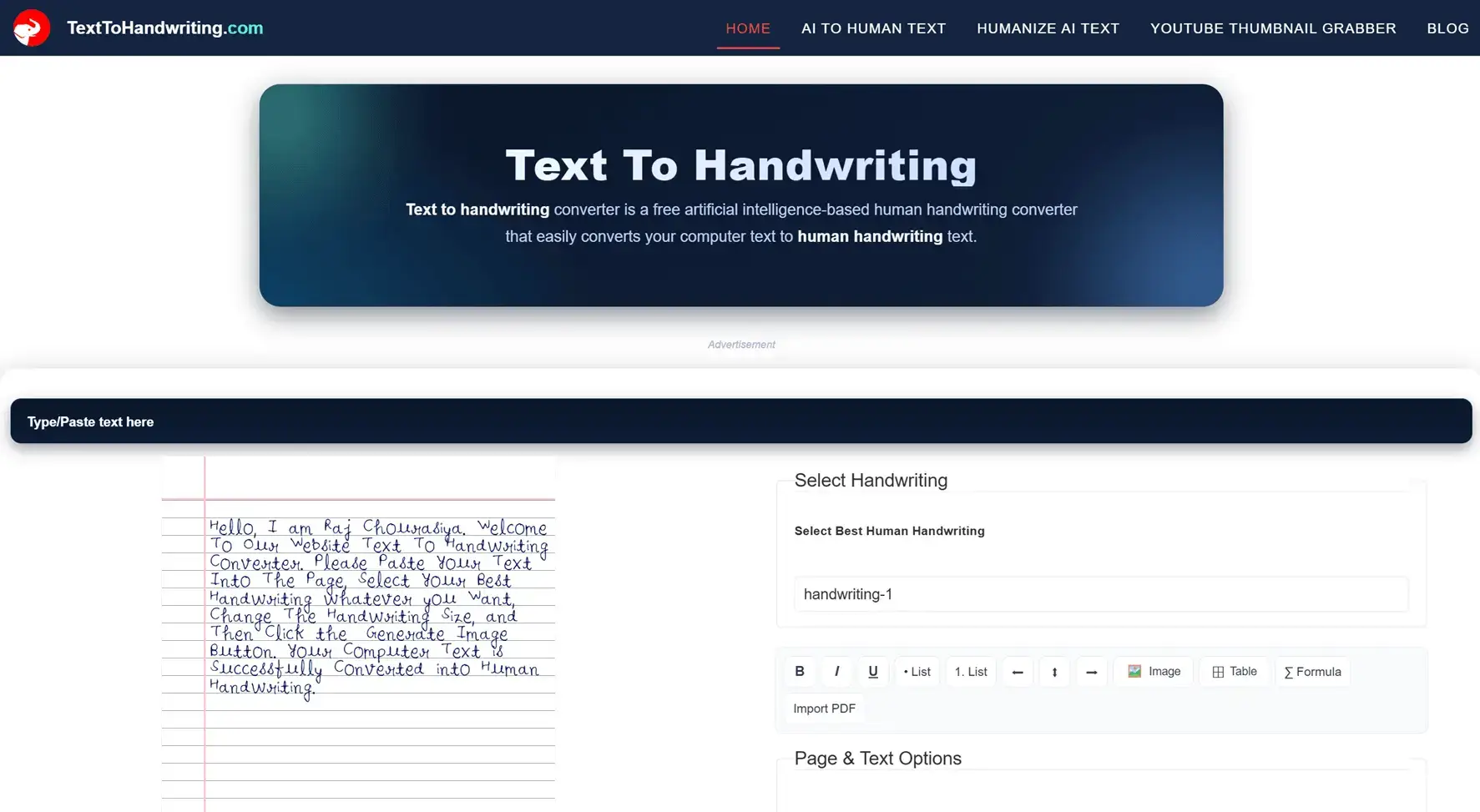
A few days ago, I was working on a project. The complete project details were available online, so finding the content was not a problem. The real challenge started when my friend told me that he needed the entire project in handwritten PDF format.
At first, I thought it would take many hours to write everything by hand. The project was very long and contained more than 100 pages of content. Writing all those pages manually was almost impossible within a short time.
That's when I found Text To Handwriting, and honestly, it made the whole process incredibly easy.
The process was simple.
I copied the project content from my computer and pasted it into the tool. After that, I selected a handwriting style, adjusted the font size, and generated the handwritten pages.
Within a very short time, my normal typed text looked like real handwritten notes. The best part was that I didn't need any design skills or editing software. Everything happened directly on the website.
What impressed me the most was the speed.
Normally, writing 100+ pages by hand could take an entire day or even several days. Using this tool, I generated more than 100 pages of handwritten notes in about one hour.
After generating the pages, I downloaded everything as a PDF and shared it with my friend. He was surprised by how realistic the pages looked and was very happy with the final result.
Many text-to-handwriting tools only provide basic font conversion. However, this website offers many useful features that make document creation much easier.
Some features that I personally liked:
I was able to add tables wherever needed in the project. I also inserted images and highlighted important sections using bold formatting. Because of these features, the final document looked much more professional.
One of the biggest reasons I liked this tool is the variety of handwriting options.
The website provides more than 10 handwriting styles, allowing users to choose the one that looks most natural. This helps create handwritten notes that do not all look identical.
Instead of using a single font for every page, users can select a handwriting style that matches their preference.
Students often need handwritten assignments, notes, projects, and reports.
Writing long assignments by hand can consume a lot of time. Tools like this help students save effort while still creating neat and organized handwritten documents.
Whether you need:
This tool can make the process much faster.
My experience with Text To Handwriting was excellent.
I needed to convert a large project into handwritten notes, and the website helped me generate more than 100 pages in a very short time. The ability to add tables, images, formatting, and choose from multiple handwriting styles made the entire process smooth and professional.
Most importantly, my friend received the handwritten PDF he wanted and was extremely happy with the result.
If you regularly create assignments, notes, or handwritten PDFs, this tool is definitely worth trying. It can save hours of manual writing while producing clean and realistic handwritten pages.